
SAP Signavio Process Manager – Process Simulation Using the Example of the Order-to-Cash Process
February 3, 2023 | Reading time: Approx. 5 minutes

Consultant Business Intelligence at FIS
Companies have to react more and more quickly to new requirements concerning previous or new business fields and processes. SAP Signavio Process Manager is an intuitive tool for clear process modeling. It makes it easy to recognize cost drivers and inefficiencies and implement optimizations.

SAP Signavio Business Transformation Suite unites the following products: SAP Signavio Process Insights, SAP Signavio Process Intelligence, SAP Signavio Collaboration Hub as well as SAP Signavio Process Manager.
The latter is a practical tool of the SAP Signavio portfolio. It can be used to model business processes and simulate their performance.
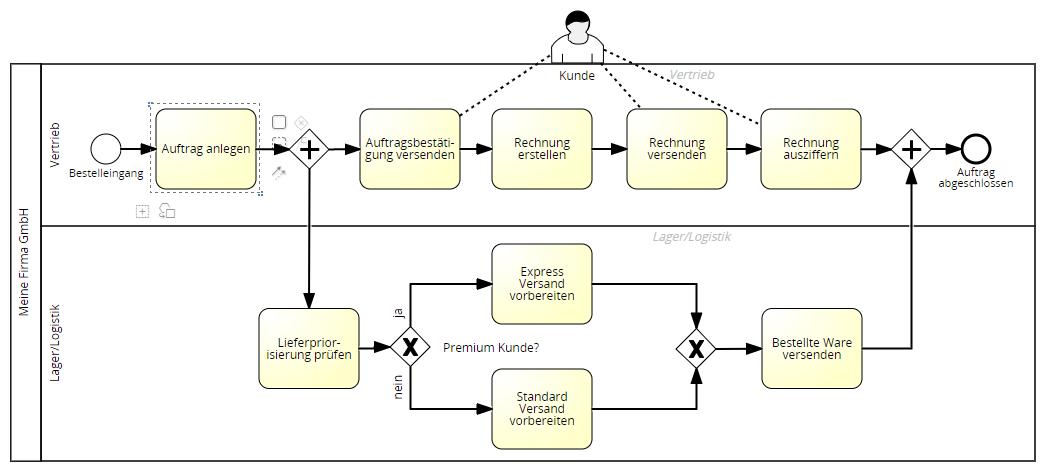
In this article, I will explain you the functionality of SAP Signavio Process Manager by using the example of the order process (order-to-cash) as shown in simplified form in figure 1.
First Steps
To enable a simulation, the corresponding individual values have to be maintained in the “Attributes” tab index behind every individual step of the process chart.
This includes both the execution time in minutes and the costs of the respective execution. For the first step “Create order”, for instance, an execution time of 10 minutes and costs amounting to EUR 3.50 are presumed.
The values for the first simulation are as follows:
| Process step | Execution time | Costs per execution |
|---|---|---|
| Create order | 00:10:00 min | 3,50 € |
| Send order response | 00:01:00 min | 0,50 € |
| Create invoice | 00:05:00 min | 2,50 € |
| Send invoice | 00:01:00 min | 0,50 € |
| Clear invoice | 00:03:00 min | 1,50 € |
| Check delivery prioritization | 00:02:00 min | 1,00 € |
| Prepare express delivery | 00:05:00 min | 2,00 € |
| Prepare standard delivery | 00:03:00 min | 1,00 € |
| Send ordered goods | 00:02:00 min | 2,50 € |
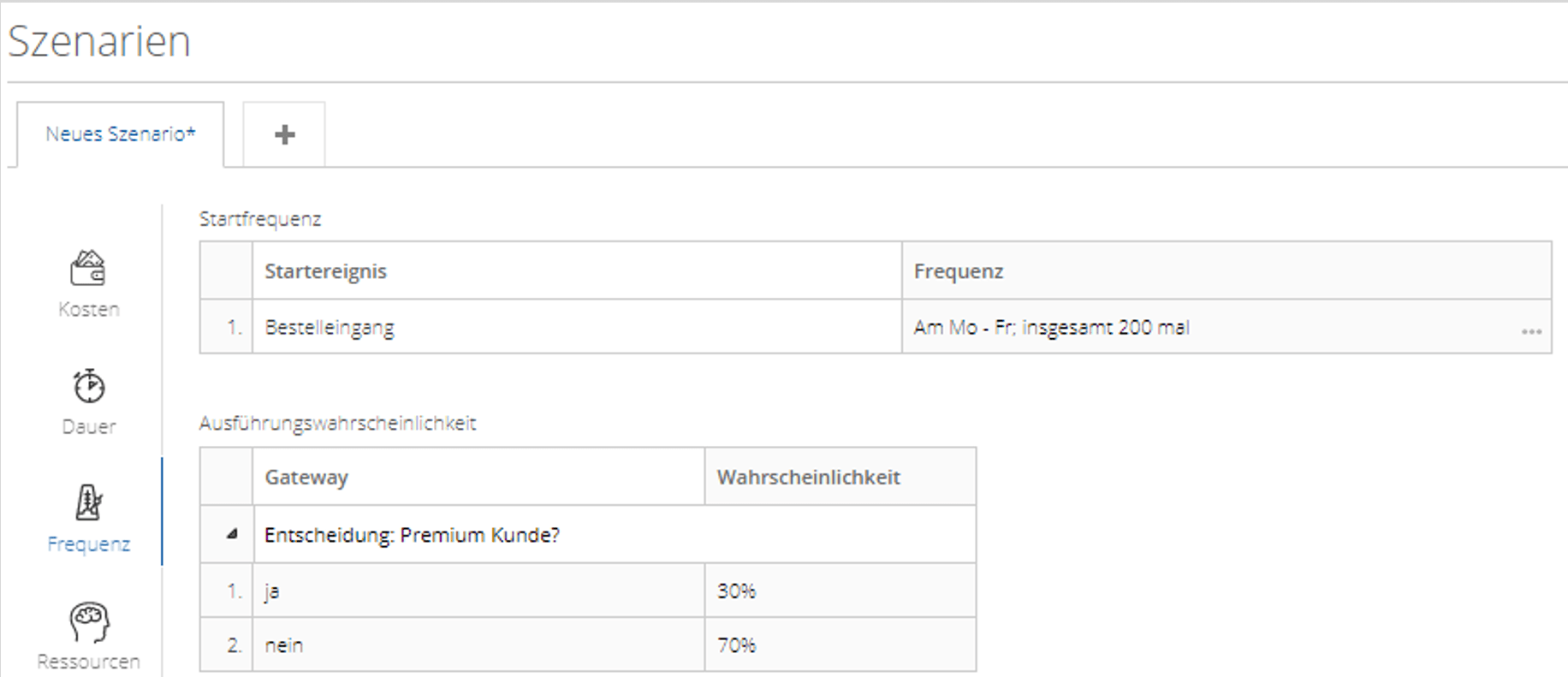
Prior to starting the simulation, the following parameters also need to be maintained on the start event and the gateway:
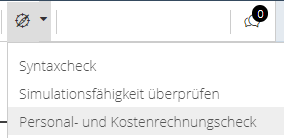
In the course and at the end of attribute entry, personnel and cost accounting checks can be made to make sure that all specifications are complete. Missing information will be marked at the corresponding place.
Execution of simulation
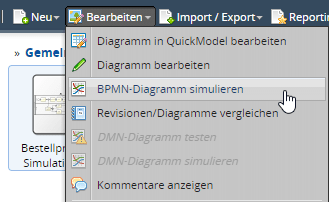
The actual simulation is made from within SAP Signavio Process Manager. The process to be simulated is selected for this purpose. Next, menu option “Simulate BPMN chart” is to be executed under the “Process” tab index:
Here, different functions can be selected:
In our example, the number of orders per day is 40, which corresponds to 200 orders per week.
Moreover, the requested frequency of program runs can be defined individually. In the particular use case, the “Orders received” start event always takes place Monday – Friday, 8 am to 5 pm.
It is also possible to configure the resources, i.e. to specify whether one or several persons work in each department (here: Sales and Distribution and Logistics). The corresponding working times and hourly costs can be maintained here as well.
At the end of the first execution, you can view the process image and, in addition, the processing times and costs as well as a potential bottleneck in the process flow:
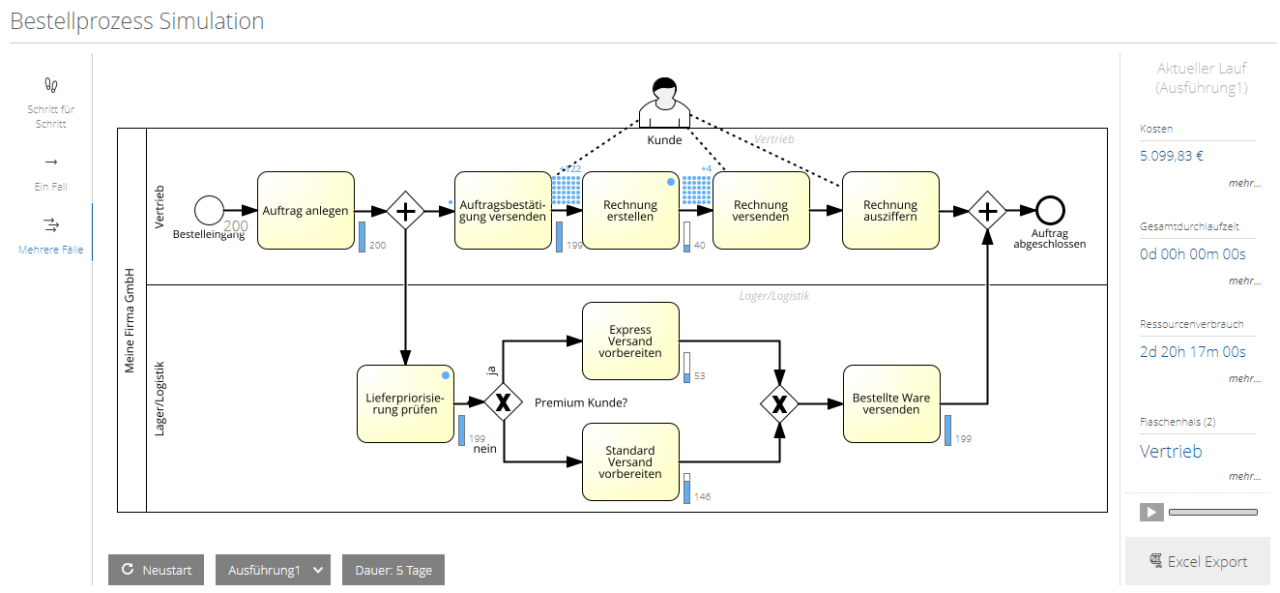
Here, it becomes clear that not all orders can be completed within one work week due to bottlenecks in the SD department that are marked in the middle of the process.
The “bottleneck” indicates the process step with the highest utilization. Here, delays occur impeding the entire process flow.
The reason is that all steps run sequentially and that there is only one sales employee. Now, the number of sales employees is increased by one person prior to the next simulation. The working times as well as hourly costs are presumed as identical.
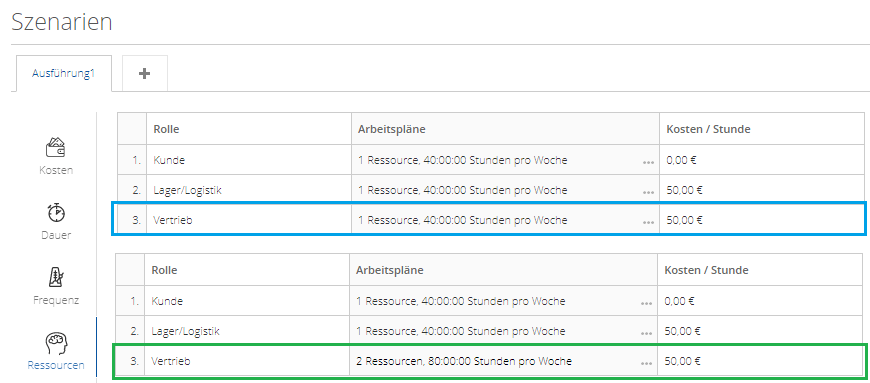
Now, the next simulation takes place. The values of the current and the previous run now appear on the right to the process image and can be compared.
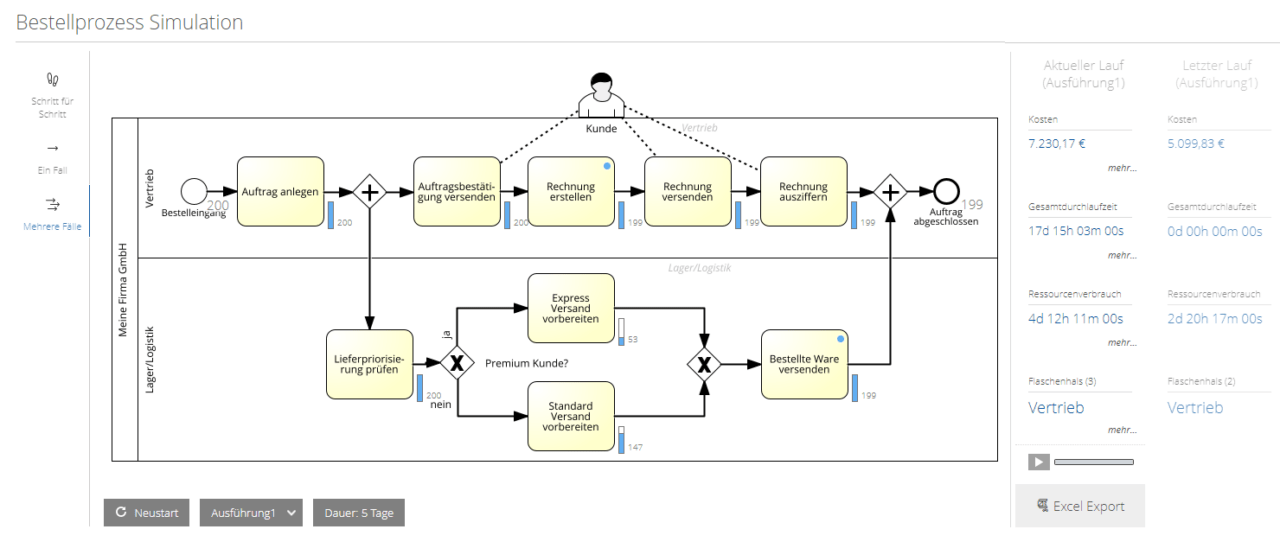
The result of the second execution shows that indeed 199 orders out of 200 incoming orders can be processed within the planned weekly working time. This means that it is necessary to recruit another sales employee to manage the required outbound deliveries within the desired period of time.
As already mentioned, a simulation has four “adjusting screws”: costs, duration, frequency and resources. However, the fifth adjusting screw, i.e. an adjustment of the process as such, might even offer further potential. The insights gained will then be implemented again in SAP Signavio Process Manager.
Conclusion
Process simulation with SAP Signavio Process Manager is a helpful tool to check the feasibility and profitability of processes modelled before – be it existing or planned processes – within a simulated reality. If needed, you can readjust them before the processes are put into practice. In this way, processes can be documented in transparent process landscapes in a manner that is clear and comprehensible for all those involved.

Questions about this topic? Our team will be happy to assist you personally.