SAP Activate
This specialist article gives a comprehensive overview of SAP Activate, the methodical SAP approach for implementing and optimizing SAP solutions. It shows how companies can use SAP Activate to efficiently structure projects, minimize risks and accelerate their system implementation – both in the cloud and on premise.

Consultant at FIS
What is SAP Activate?
SAP Activate is an implementation framework SAP has developed for the structured implementation of its software solutions. It consists of predefined contents (SAP Best Practices), a clearly defined methodology and supporting tools. SAP Activate assists companies in implementing SAP systems, such as SAP S/4 HANA, more quickly, securely and specifically irrespective of whether the solution is operated in the public or private cloud, on premises or as hybrid solution.
It aims at efficiently implementing SAP projects, minimizing project risks and ensuring a high-quality system implementation. Today, SAP Activate forms the standard for SAP implementation projects and transformations.
Why is SAP Activate required?
Traditional SAP implementations are often characterized by long runtimes, high resource efforts and complex processes. With an increasing need of agility, speed (shorter implementation cycles) and flexible cloud solutions, standardized and structured approaches are becoming more and more important.
The Activate framework handles these requirements by specifying a clear implementation approach, integrating advanced methods, such as agile procedures, and simplifying the implementation through preconfigured processes (SAP Best Practices).
It is the objective to significantly reduce both implementation duration and resource requirements.
What components does SAP Activate include?
SAP Activate is based on three central main components that complement each other:
Which phases does SAP Activate Methodology include?
SAP Activate Methodology consists of six project phases. They offer a structured sequence for implementing SAP solutions in a plannable and transparent way.
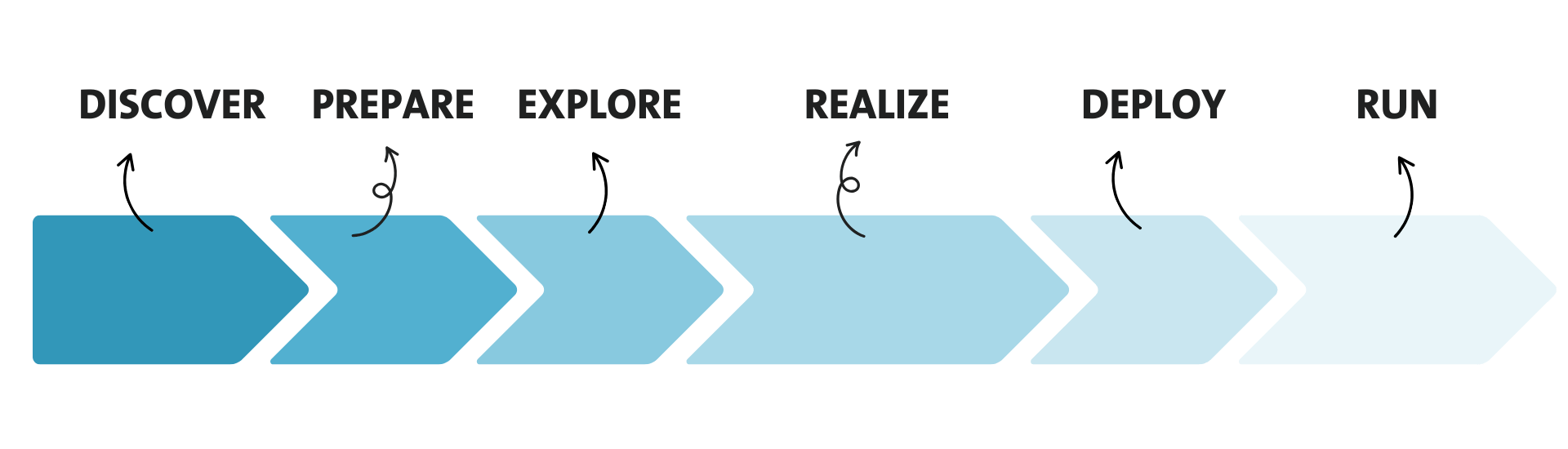
1. The “Discovery” phase
During this phase, companies check whether SAP S/4HANA or another SAP solution is suitable for their own strategy. The prime concern is to understand business needs and valuate potentials. This also includes the definition of contract details, a rough-cut project plan as well as the selection of the appropriate implementation partner.
2. The “Prepare” phase
Here, the project team is formed and the project prepared. This includes the technical system provision as well as the first planning of activities, resources and responsibilities. Project organization and schedule come next. Workshops and systems are prepared. In this phase, the work with SAP Cloud ALM is also started, which is later used for controlling and monitoring the project.
3. The “Explore” phase
In the “Explore” phase, the basis is created for the project success to come. The “fit-to-standard” workshops are part of this phase. Companies and consultants can validate the SAP standard processes via SAP Process Navigator. Variances are documented in SAP Cloud ALM and planned adjustments and enhancements defined.
4. The “Realize” phase
The system is configured, the defined enhancements implemented and the integration with third-party systems prepared. Functional tests ensure that processes run as planned. Here, SAP Cloud ALM provides support through a task management.
5. The “Deploy” phase
The production operation is prepared in the “Deploy” phase. This includes data migration, final tests, user training courses as well as the actual go-live of the system. SAP Cloud ALM helps keep an overview of the technical and professional activities, such as test management.
6. The “Run” phase
After the go-live of the project, the running operation will start. The IT organization becomes responsible for system support. At the same time, the solution starts being continuously optimized. SAP Cloud ALM offers functions for monitoring and incident management.
How does SAP Cloud ALM support the SAP Activate framework?
SAP Cloud ALM (or SAP CALM) is a platform for Application Lifecycle Management (ALM). It is specially tailored for SAP cloud products and closely integrated with SAP Activate.
Cloud ALM offers functions for:
For cloud projects in particular, SAP Cloud ALM is a central tool for controlling and quality assurance.
How does SAP Process Navigator work?
SAP Process Navigator replaces the former Best Practices Explorer. It offers a simple method of searching through industry-specific processes, scenarios and documentations. Users can filter contents according to solution, industry or country and get direct access to configuration guidelines, test scripts and process diagrams.
The Process Navigator tool can be accessed publicly and used free of charge – an important utility during the “Explore” phase.

What does SAP Roadmap Viewer offer?
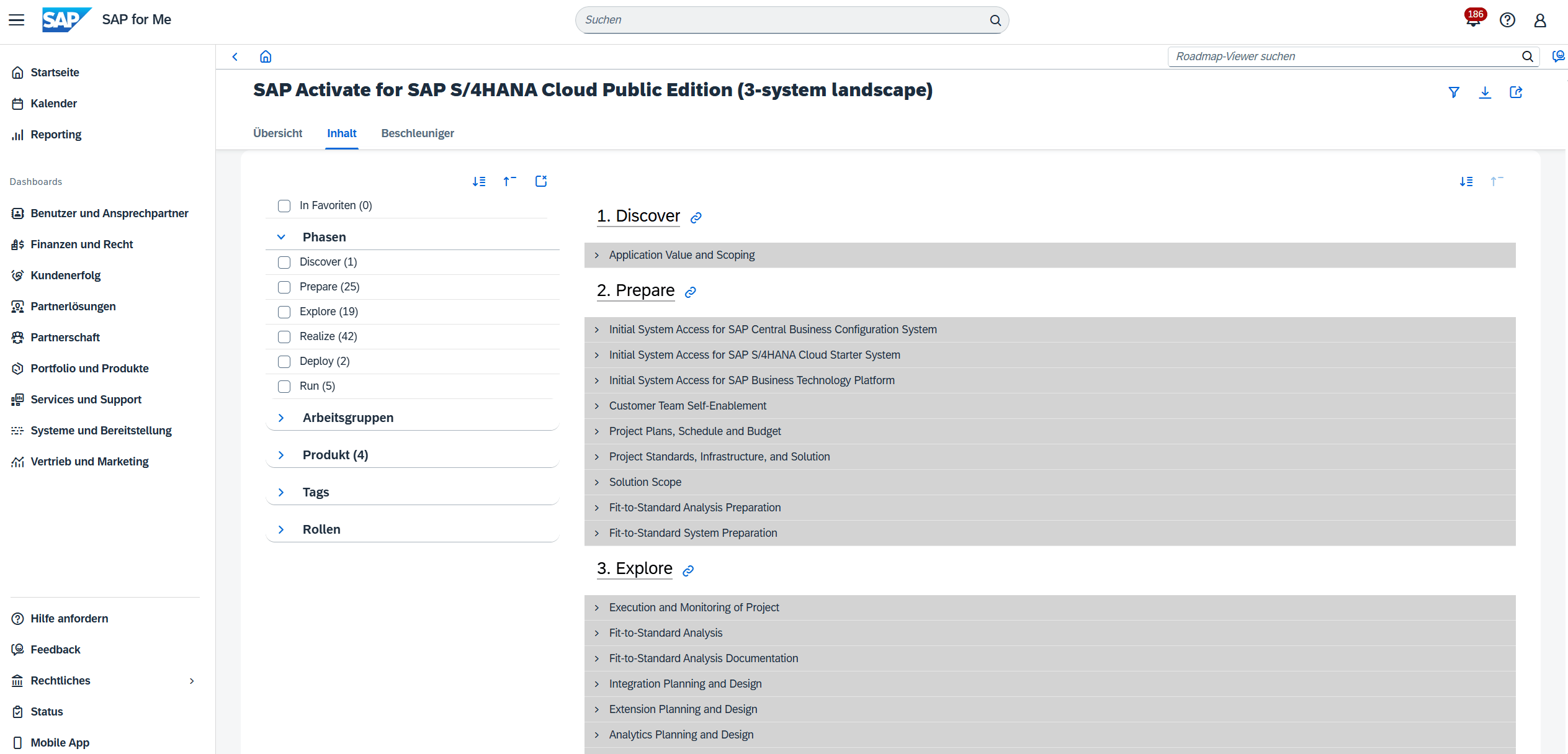
SAP Roadmap Viewer makes the complete SAP Activate Methodology available in structured form. For each project phase, tasks, artefacts, roles and dependencies are defined.
Benefits:
Conclusion
SAP Activate is an advanced and structured framework for implementing SAP systems. It combines preconfigured contents, a methodical procedure and technical support for system implementation. Its modularity and scalability make it suitable for companies of any size and industry.