Independent Picking within the SAP System in Pickup Stores
FIS/FreestylePicking reduces the workload of classical over-the-counter sales in pickup stores by enabling customers to pick their articles themselves. The article describes how the digital self-service process works, what roles mobile devices and SAP integrations play and what practical advantages this approach offers to logistics, employees and customers.

Product Manager at FIS
What is FIS/FreestylePicking?
FIS/FreestylePicking is a solution for pickup stores enabling customers to pick their articles themselves. Instead of waiting for an employee (classical over-the-counter sales), the customers themselves execute the picking process. This means that companies can implement the “Pick your own” principle, which is comparable to modern self-service concepts in retail trade, to increase efficiency. The solution is based on SAP Business Technology Platform.
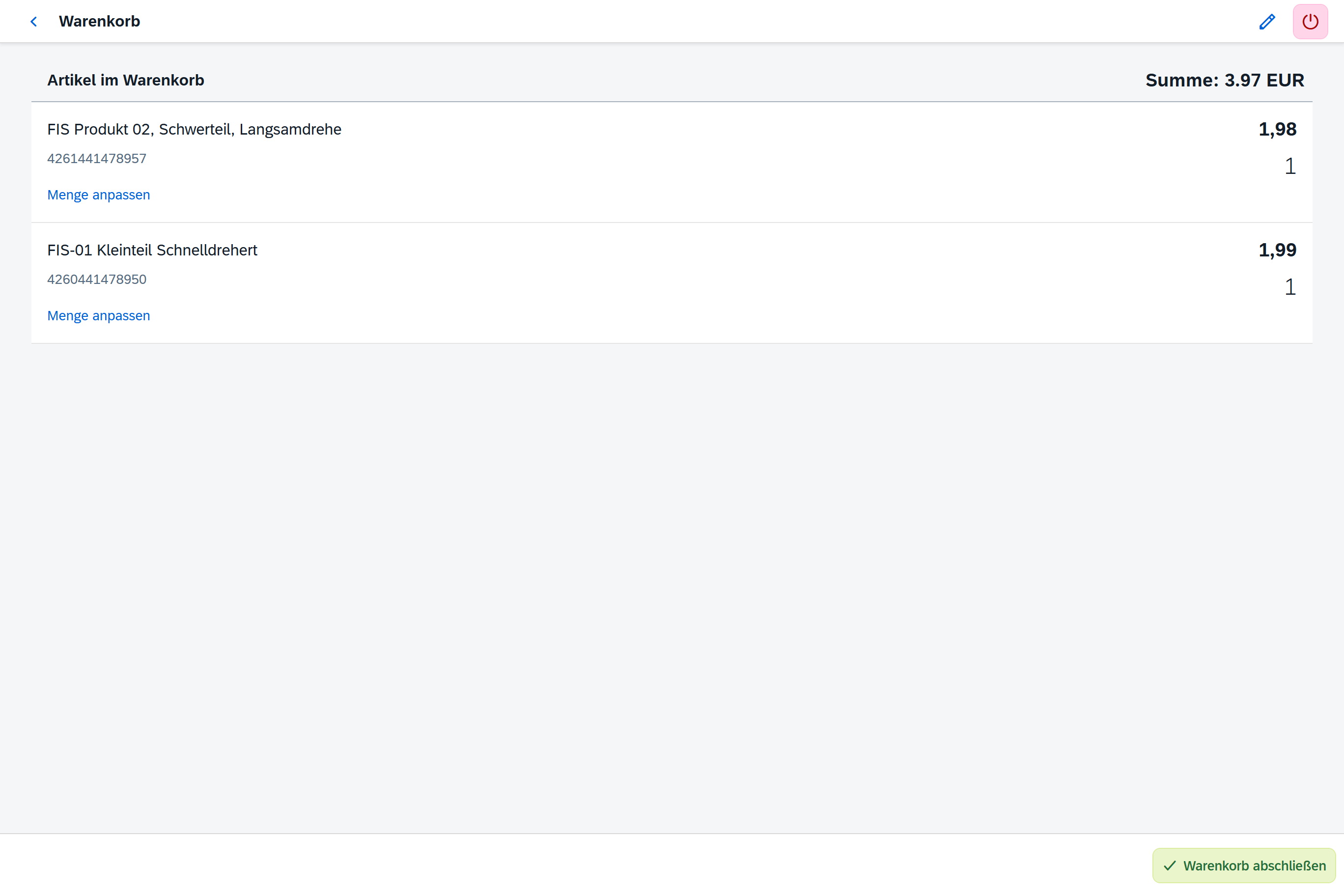
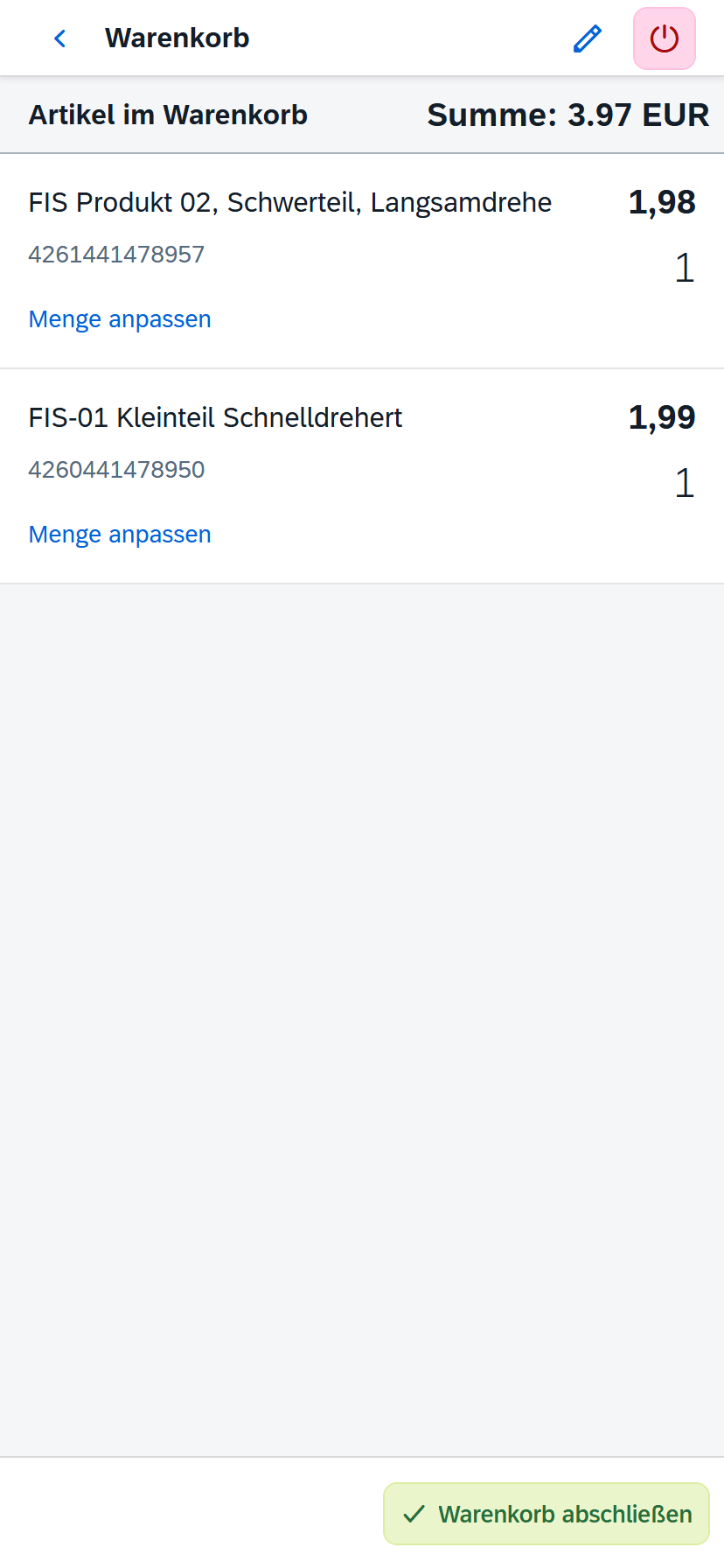
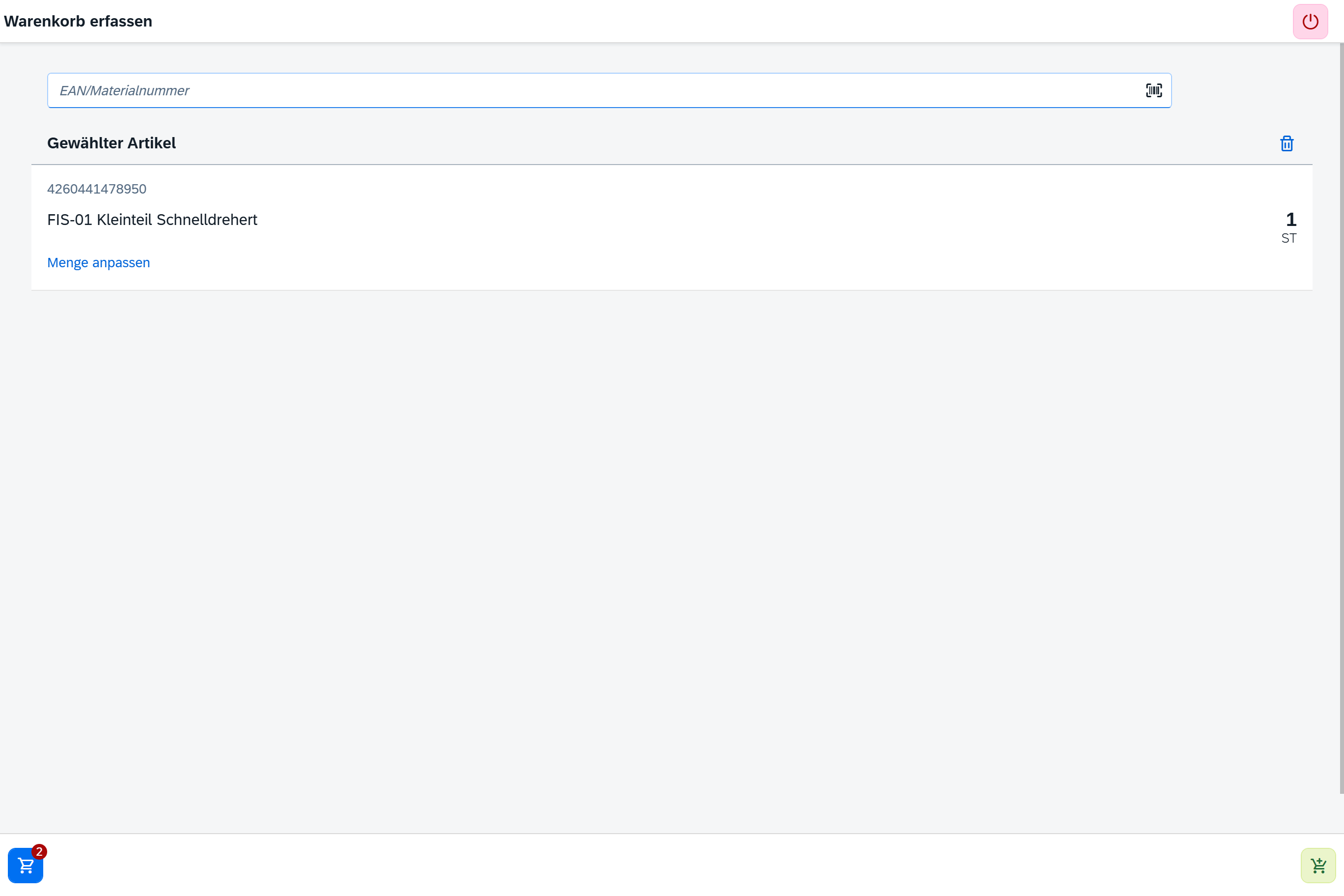
In technical wholesale and industries with pickup stores, customers usually order their articles over the counter and an employee takes the articles from the warehouse (“over-the-counter sales”). This may lead to wait times and workloads on staff, particularly in case of skills shortage.
FIS/FreestylePicking addresses this problem by integrating the customer as picker: the customers select their articles, scan them and put them into their shopping cart while the system executes all necessary SAP processes in the background. As a result, orders are executed more quickly without any quality losses as FIS/FreestylePicking guarantees that all postings and follow-on documents are triggered automatically and correctly in SAP.
How does FIS/FreestylePicking work?
The functionality of FIS/FreestylePicking can be described in several steps:
1. Customer registration
An employee of the pickup store, warehouse or wholesale company creates the customer once in the system as well as a customer card with QR code via an administration app. This card is used for authentication. Alternatively, the QR code can also be saved on the customer’s smartphone.
2. Authentication
Every time customers enter the store, they identify themselves with their personal QR code. In this way, the system knows what customers are picking articles right now and prices, customer data and, if necessary, discounts can be displayed in real time.
3. Scanning articles
The customers receive a mobile device, e.g. a hand-held scanner or a tablet, provided by the pickup store. They use this device to scan the desired products by scanning the EAN or bar code. For each scanned product, the customers enter the quantity they would like to collect. As a result, each article is put into their digital shopping cart within the app.
4. Withdrawing articles
The customers withdraw the scanned articles physically from the storage location and put them, for instance, into a shopping cart or on a transport cart. Due to the digital guidance, the customers know exactly which quantities of which articles are to be withdrawn – comparable to an electronic picking list, however interactively on the device.
5. Pick completion
Once the customers have picked all requested articles, they complete the digital shopping cart in the app. At the same time, a sales order is created automatically in the SAP ERP system. All relevant data, such as articles, quantities, prices, customers etc., go straight into the SAP system without manual data entries.
6. Check & confirmation
Using the created sales order, a counter employee checks the articles picked and taken to the cash point by the customer. The physical articles are compared with this order to exclude errors. Next, the order is released and, for instance, the delivery note created. Alternatively, this step may be omitted. Instead, the customers confirm their purchase themselves through a digital signature on the mobile device so that no direct contact with a staff member is necessary. If “purchase against delivery note” is set by default in the app, the customers do not have to pay on site.
7. Further subsequent steps
Once confirmed, the system will trigger follow-up activities automatically. This includes, for instance, goods issue posting or invoice creation. All stock movements – from storage bin removal to confirmation – are posted in the background and manual steps in SAP are not required. When using SAP EWM, the storage bin-based stock postings will also be made directly in real time.
8. Flexible checkout concept
FIS/FreestylePicking can be used flexibly. In addition to the PDC use described, the concept can also be implemented with stationary self-checkout cash points. In this scenario, the customers physically collect the articles in the cart. However, only at the end of their purchase will they scan all articles themselves at a stationary cash point. The connection to SAP remains the same: finally, a sales order with all items will be created, which triggers further processes.
What benefits are provided by FIS/FreestylePicking?
FIS/FreestylePicking offers a number of benefits:
Counter and warehouse employees no longer have to pick the warehouse orders as the customers execute this task themselves. As a result, they can focus on consulting or other value-adding activities.
Customers no longer have to wait until an employee removes their articles ordered from the warehouse. The customers immediately process their orders themselves, which increases customer satisfaction.
The solution is easy and intuitive. The creation of new customers in the system by staff members is uncomplicated and the customer app as well is structured clearly. Information on articles, storage bins, prices and quantities is specified clearly so that even inexperienced users find their way.
Each scan and withdrawal are entered in the app and in the background system. This makes the withdrawal of articles and stocks transparent. The customers immediately see all relevant product information such as description, price, availability etc. and, as a consequence, get an overview of the current pick orders.
A two-factor authentication, i.e. the combination of personal QR code and PIN entry, ensures that only authorized persons pick articles. Moreover, a comparison or signature is made at the end to avoid thefts or errors.
Picking via mobile terminal and with a modern Fiori user interface is much more ergonomic than paper lists. Big buttons, clear dialogs and scanner support reduce entry errors. The solution has been developed in the responsive UI5 design so that it is executable on different devices.
After purchase completion, SAP will automatically be responsible for all further steps. From delivery note creation and goods issue posting to invoicing and shipping: the processes will be triggered digitally. This reduces manual efforts and errors during order processing.
FIS/FreestylePicking can flexibly be adjusted to different business processes. Be it in the B2B pick-up warehouse, the spare parts warehouse of a manufacturer or in other scenarios. In this way, one can enter step by step into the digital self-picking business without having to replace the entire system landscape.
In short: FIS/FreestylePicking improves warehouse productivity, reduces sales order processing times and minimizes errors through the direct posting of all steps in the SAP system. This does not only mean a gain in efficiency but also a modern customer service that stands out from competition.
How do mobile solutions improve the picking process?
In the last few years, mobile data entry and digital processes have strongly revolutionized the picking process. Modern warehouses use mobile terminals and apps instead of paper and subsequent manual postprocessing for mapping the entire process in real time. This provides benefits such as:
Once the pick order has been completed, it can be updated in the system immediately. As a result, the system stock always corresponds to the real stock and downstream subsequent processes (e.g. goods issue or replenishment) can be triggered without any delay. Erroneous or forgotten postings are minimized as the employee confirms the operation directly on site.
Mobile solutions such as pick-by-scan or pick-by-voice reduce incorrect entries drastically. A bar code scan is less error-prone than ticking off items on paper and subsequent manual PC entries. The number of mix-ups is reduced as well as the system immediately warns the user if, for instance, a wrong bar code has been scanned.
Paperless picking saves warehouse workers time. They do not have to handle slips of paper or return to a terminal for entering data. Instead, they obtain all information on a handheld device or headset and can process the order uninterruptedly in one step. In addition, mobile devices can offer optimal routing or prioritize and display the next tasks, which accelerates processing.
Good mobile software enables the distribution of order lists according to the selection of specific parameters. The system, for instance, can automatically distribute orders to the next available warehouse clerks according to their priority. In SAP EWM, such rules can be defined in Customizing – mobile terminals take them up and always present a useful sequence of jobs. This avoids idle speed and ensures that urgent outbound deliveries will be picked first.
Is there a comparison between paper-based and mobile picking?
For the following aspects, a comparison can be made between paper-based and digital picking:
|
Aspect |
Paper-based picking |
Mobile digital picking |
|---|---|---|
|
Type of data transfer |
Manual (to be updated later in the system) |
Automatic transfer to the system in real time |
|
Susceptibility to errors |
High (read error, typing error) |
Low (bar code scan, system validation) |
|
Process speed |
Slower (multiple media changes) |
Faster (direct processing) |
|
Transparency and overview |
Low (paper must be confirmed first) |
High (traceable live status) |
Conclusion
FIS/FreestylePicking is a good example of how pickup stores can easily make a great step towards digitization with regard to their warehouse activities: customers pick their articles themselves and SAP ensures in the background that all subsequent processes run through neatly, completely and without any additional expense. In this way, personnel bottlenecks are cushioned, processing times reduced and a modern form of over-the-counter sales enabled. For those who wish to make a pick-up warehouse more efficient and customer-friendly, FIS/FreestylePicking offers an approach that can be integrated into existing SAP logistics processes without complex reorganization.
Moreover, solutions like FIS/FreestylePicking show how advanced technologies can be used to pursue new picking approaches: customers are integrated, wait times are eliminated and all operations are integrated digitally.